
One Link, One Workset: A Small Revit Habit That Saves Big Projects

Every large project eventually has a moment where a link shows up in the wrong view, or a model takes ten minutes to open because nobody thought about how links get loaded. Nobody calls it a process problem. It usually is one.
The fix is unglamorous, and it takes about five minutes at the start of a project.
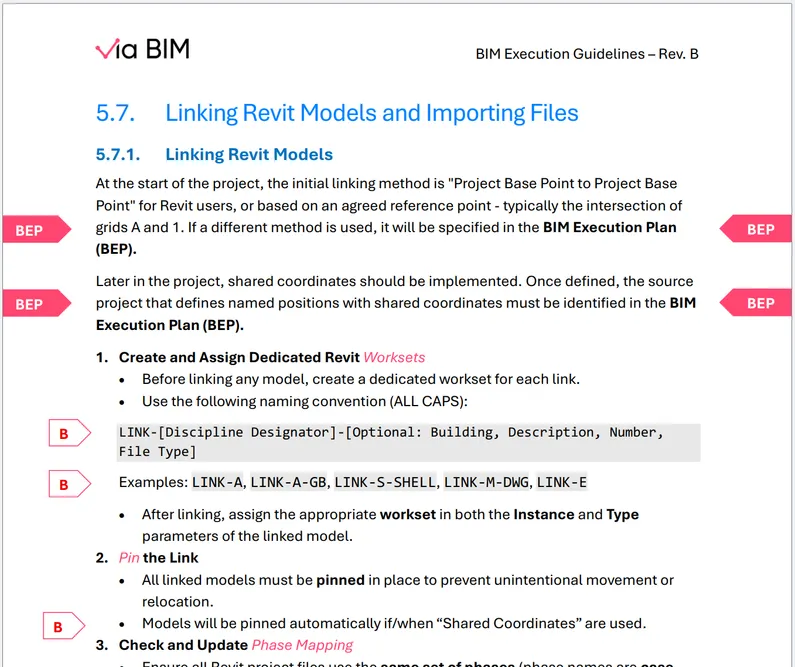
One link, one workset
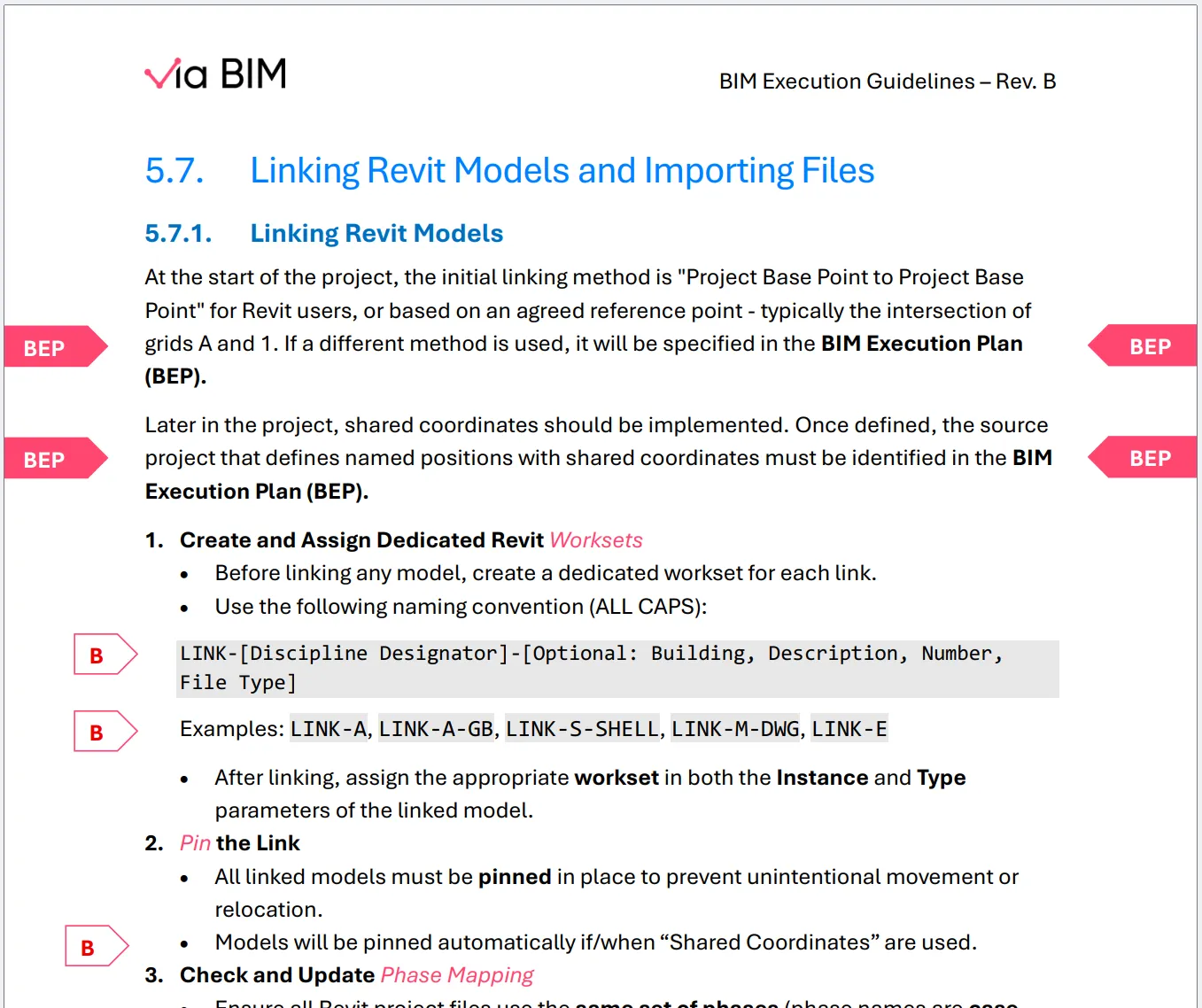
Work in a workshared model even when you’re on your own, and give every link its own workset. That single decision pays off in two places.
The first is documentation. A workset’s visibility can be set once - per view template, or as the workset default - and every view follows it. You get robust, clean, consistent control over which links appear where, instead of chasing link overrides view by view.
The second is performance. When you open a model with specified worksets, links on closed worksets don’t load. The architect who only needs the structural link doesn’t wait for MEP, civil and the substation to load first.
Just remember: worksets persist, links (typically) don’t. Links get removed, re-added, swapped for a new issue or repathed to a different folder. Visibility tied to the link itself can quietly disappear with it. Visibility tied to its workset stays put.
The security case
We’ve run into this on at least 3 projects with a physical security discipline - cameras, access control panels, card readers, motion detectors. Other disciplines had to coordinate with some of these elements, but none of them could appear in their drawings or documents. It’s a security issue.
The fix: a dedicated workset, off by default. Uncheck “Visible in all views” for it, and every new view starts with security elements hidden. They stay in the model for clash detection and coordination, and only appear where someone deliberately turns them on.
One caveat worth stating: this controls what’s drawn, not what’s in the file. Anyone with the model can still turn the workset back on, and exports not driven by a view can still carry it. Treat it as a documentation safeguard, and keep the actual access control in your CDE permissions.
The same trick works for scope boxes - see Scope Boxes in Revit: The Most Boring Tool You Can’t Live Without.
Put it in the BEP
None of this is hard. You just need to already know it - and have your BIM Manager put it into the BEP: a workset per link, named consistently, with default visibility decided up front. Ten minutes in the BEP saves hours of view-by-view cleanup later.
If you’d like a second pair of eyes on your BEP or workset strategy, get in touch.
